


Tips for Finding Safe Apps for Kids





Parents look for tips for finding safe apps for kids because many downloads look cute on the store page and feel messy once a child starts tapping. A safe kids app is age-appropriate, free of surprise buys, light on data, and quiet enough that play does not turn into a sales pitch. Before you install, scan ratings, parent notes, permissions, and whether the app talks to strangers, or start with ready-made educational games for kids.
After you scan ratings and permissions, many families start with the best safe kids games that stay age-appropriate and free of surprise buys. The best safe games for kids keep the same light-data pace so play does not turn into a sales pitch. For extra home rules, see how to protect kids online before a child starts tapping.
Start a calm, ad-free play plan with a family game subscription built for young kids!
What a Safe Kids App Should Include

Use this short filter before you download.
- Clear age band that matches your child, not just a store badge
- No ads, or ads that never leave the app
- Purchases locked behind a parent gate
- No open chat with strangers
- Simple menus a young child cannot wander out of
- A privacy note written in plain language
- Permissions that match the game (a coloring app does not need GPS)
If an app fails two or more of those points, skip it. There are many other titles. A useful extra is offline play after the first download. Then a child can keep going on a plane or in a waiting room without new ads loading. Parent notes on the best learning apps for kids, the best apps for toddlers, and the best apps for kids learning show the same pattern: closed play, clear goals, and no surprise shop.
Check Age Ratings, Then Go One Step Further
Store ratings help, but they are not the full story.
Apple, Google, and Amazon each use their own labels. A title marked for young kids can still include links, video ads, or social features. Always open the listing and read the content notes, not only the number. Also read the terms. Some services say users must be 13 even when the icon looks like a toddler toy. That gap matters.
Ask three quick questions:
- Who made this app, and can you find a real company page?
- Do recent parent reviews mention ads, billing, or odd pop-ups?
- Does the app sit in a Kids category with extra store rules?
Apple’s Kids category asks developers to use parental gates for buys and outbound links. That is a plus, but you still test the app yourself.
Age fit gets clearer when you compare the best apps for preschoolers with the best games for preschoolers and the best games for young kids. The label on the store and the real play session are not always the same thing.
Set Device Controls Before the First Play Session
App choice and device settings work together.
- Apple families can use Screen Time to limit apps, set downtime, and ask for approval on new downloads. Communication Safety can warn about sensitive images on supported devices.
- Android families can use Family Link to approve apps, set daily limits, and lock a device at bedtime.
- Windows households can add Microsoft Family Safety for web filters and time rules on PCs.
These tools are a floor, not the whole plan. They do not fix a poorly made game. They do stop a child from installing a stack of new titles after dinner. Keep parent email on the store account. Do not let a child own the only login. Review the app list once a month. Delete what no one uses. Old apps still hold permissions.
Tablet and iPad play often needs the same locks. Notes on tablet games for kids and educational games for kids on iPad sit next to account help in the FAQ section.
Test the App the Way a Child Would
Reviews help. Your hands help more. Open the app. Tap the edges. Smash buttons. Turn the volume up. Try to leave the game.
You are looking for:
- Accidental exits to the web
- Loud, constant reward sounds
- Tiny targets a toddler cannot hit
- A store that opens with one tap
- Chat or friend requests
- A login wall that asks a child for personal details
If you feel tense after two minutes, your child will feel it after twenty.
Play the first session together. Ask what the child likes. Watch where their fingers go. Then decide if the app stays.
Calm design matters for little kids. Soft colors, clear goals, and short rounds beat flashing timers.
That tap test applies to mobile games for kids and to fun educational games for kids that still hide a shop behind a cute button.
Match the App to the Child’s Age
Ages 2 to 5
Pick single-player play with big buttons and no chat. Skip accounts that a toddler can create. Favor care, sorting, music, and simple stories. Keep sessions short and sit nearby. The best educational games for toddlers, the best games for toddlers, and the best educational games for 2 year olds follow that same quiet pattern.
Ages 6 to 8
Kids this age can follow longer quests. They still should not manage money or talk to strangers. Look for creativity, reading support, and problem solving. Keep purchases locked. Age-specific lists such as the best educational games for 5 year olds, the best educational games for 6 year olds, and the best educational games for 7 year olds help you match pace, not only the store badge.
Ages 9 and up
Older kids want more challenge. Safety still comes first. Check social features one by one. Turn off public profiles. Talk about what not to share: full name, school, address, photos of home. The best learning apps for kids 8 years old and the best educational games for 10 year olds still need the same chat and purchase checks.
Kindergarten and early lists, including the best educational games for kindergarten and the best educational games for kids age 3, are useful when siblings share one device.
Where to Research Before You Download
You can run a short research loop in a few minutes.
- Store listing: age rating, IAP note, developer name
- Parent reviews from the last few months
- Common Sense Media for content and values
- The app’s own privacy page
- A search for the app name plus words like ads, charges, or privacy
eSafety guidance from Australia also lists five parent checks that travel well: research, age rules, privacy, permissions, and reporting tools. Do not trust a single five-star burst from launch week. Look for parents who mention bedtime, ads, or surprise bills. Teacher and librarian lists can help for learning apps. Still test those titles at home. School filters are not the same as a phone in the back seat.
Side-by-side reading of the best educational websites for kids, the best online educational games for kids, and the best learning games for kids online makes gaps in ads or accounts easier to spot.
TutoClub Makes Safe App Choices Simpler for Families
Hunting app by app takes time. Many families want one place where the safety work is already done.
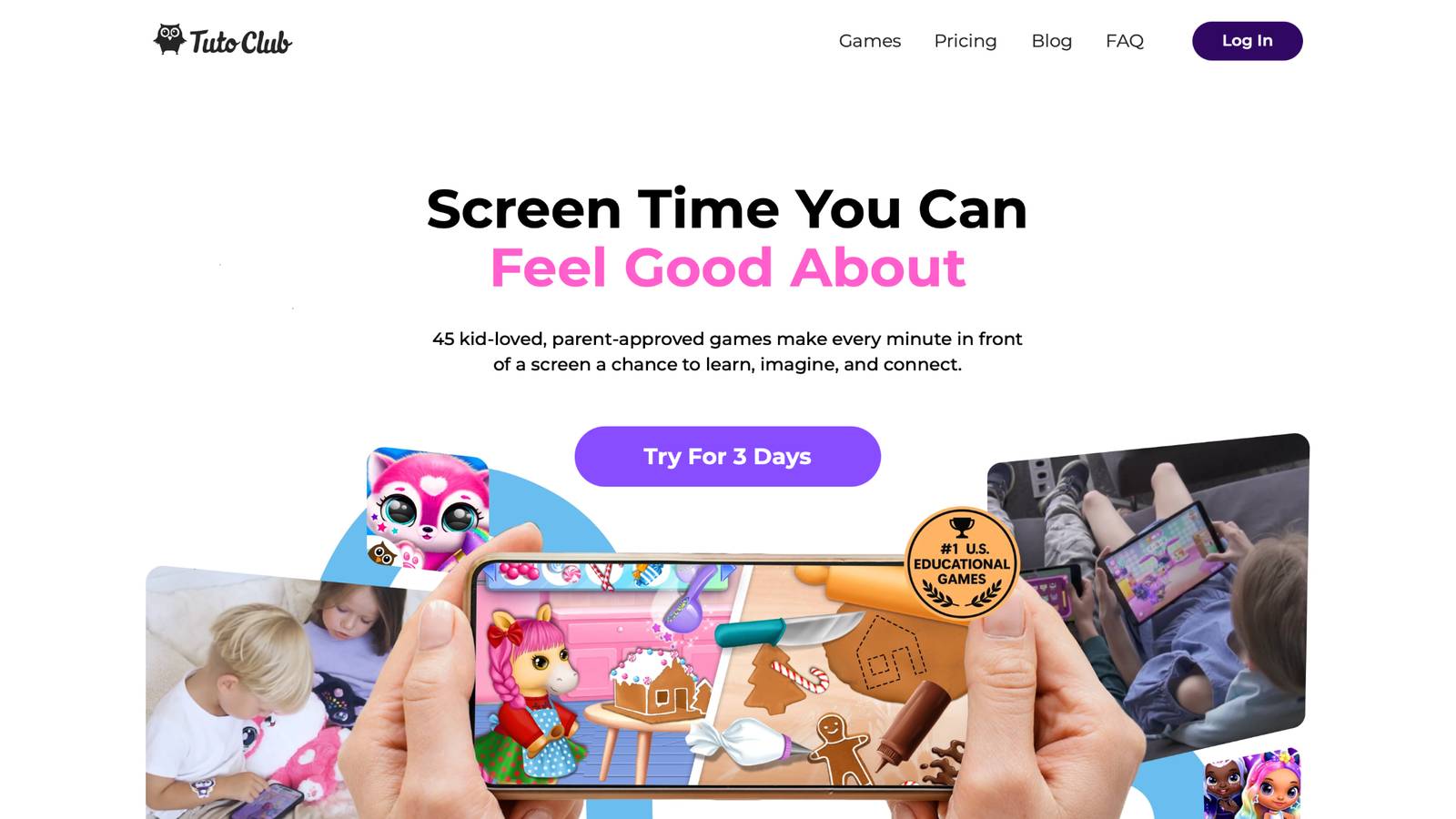
Tutoclub is a parent-managed subscription for TutoTOONS games. It gives families ad-free access to a curated set of educational play for young children, with in-app buys unlocked and no pop-up store pressure inside the games.
That design matches what parents ask for when they search for safe apps for kids:
- Play without ads
- No stranger chat
- COPPA and GDPR-minded privacy
- One account across devices
- Content aimed at early learning, care, creativity, and focus
Games such as Fluvsies, Smolsies, Giggle Babies, and Kpopsies sit in that collection so kids can switch titles without a new privacy review each time. After the first download and login, many titles work offline.
Parents stay the account holders. Kids get the games. That split is the point. Plan details live in the subscription FAQ, and the catalog style matches the best kids games educational roundups that favor calm, skill-building play. If you already use device controls, a closed catalog makes those controls easier. You approve a known set instead of a new request every afternoon.
TutoClub Overview
TutoClub is your gateway to a magical world of educational games designed especially for children.
As part of TutoTOONS, a leading kids' games studio, we offer premium access to over 45 ad-free games.
Our mission is to blend learning and play, helping kids explore, create, and grow in a safe online space.
Thousands of parents trust us for family-friendly content that sparks imagination and builds essential skills.
Key Features
- Unlimited Access: Unlock full content in all games with no interruptions.
- Ad-Free Experience: Enjoy seamless play without any ads or distractions.
- Skill Development: Games foster creativity, social skills, communication, and more through fun activities like pet care and cleanup challenges.
- Regular Updates: Get new releases, exclusive content, and future updates automatically.
- Easy Subscription: Cancel anytime with no obligations, simple and flexible for families.
Explore Our World
TutoClub provides a rich ecosystem of educational games for kids, featuring ad-free experiences that promote creativity, focus, and emotional growth through play.
This platform turns screen time into valuable learning opportunities, with parent-approved content that builds essential skills and sparks curiosity in young minds.
- TutoClub Games: Over 45 educational games, including popular titles like Fluvsies, Smolsies, and the Sweet Baby Girl series
- Blog: Insights, tips, and stories for families on kids' learning and play
- FAQ: Comprehensive answers to frequently asked questions about subscriptions, features, and more
Get TutoClub on Your Device
TutoClub delivers premium kids educational games directly to your mobile devices, making learning accessible anytime, anywhere.
With apps available on major platforms, families can easily download and subscribe for ad-free play that turns screen time into skill-building adventures.
Perfect for parents seeking safe, engaging content on iOS, Android, or Amazon devices.
Why Choose TutoClub?
We're committed to 100% safe, enriching entertainment that kids love and parents approve. Join the thousands who've seen their children thrive through playful learning.
Ready to start the adventure?
Give kids ad-free educational games in one parent-approved subscription!
Red Flags That Mean You Should Delete the App
Walk away when you see:
- Ads that open the web
- Chat with people you did not approve
- Location sharing that will not turn off
- A store with huge price ranges on a single tap
- A developer with no real contact page
- Reviews about surprise charges
- Pressure to return every day or lose progress
- A “kids” look with a teen or adult terms page
One red flag can be enough. You do not owe an app a second chance. Also watch copycat names. Some listings mimic popular kids brands. Check the exact developer before you install. Titles built around care and feelings, such as the best social emotional games for kids and the best confidence building games, still fail the test if a shop or chat sits under the cute art.
Family Rules That Keep Safe Apps Safe
A good app still needs a house plan.
Write three rules kids can repeat:
- If a screen asks for money or a name, show a parent.
- Do not share photos of home, school, or uniforms.
- Tell a parent if a message or video feels weird.
Keep devices in shared rooms when you can. Charge phones outside bedrooms. Use downtime settings so play has an ending. Talk in normal words. “This button spends our money” lands better than a long lecture. Revisit the rules when a child asks for a new app. The checklist in this article is the same every time, which makes the talk shorter.
A family weekly planner can hold screen windows next to learning through play activities. Practical tips for new parents help keep those rules short enough to reuse.
FAQ
What should I look for first when finding safe apps for kids?
Start with ads, purchases, and whether anyone unknown can contact your child. Tips for finding the best safe apps for kids work best when you treat those three checks as a gate, then confirm age fit and permissions. A title can look gentle on the store page and still open a shop, a browser, or a chat thread after a few taps. A short hands-on test, tapping the edges of the screen the way a child would, shows more than a pretty icon. That same filter shows up across the best educational games for kids that keep play closed and calm.
Are free kids apps safe if they have good ratings?
High ratings do not prove an app is safe. Many free kids apps earn praise because the art is bright, while parent notes later mention pop-ups, extra charges, or data requests that do not match a simple game. Read recent written comments, check whether a store sits inside the play, and look at permissions for camera, mic, location, and contacts. “Free” can still mean a shop with coins that spend real money. The best online games for kids educational lists still need that ad, buy, and privacy pass.
How do parental controls help after I pick a safe app?
Parental controls limit new downloads, set quiet hours, and block purchases on the device itself. They support a safe kids app, they do not fix a noisy or leaky one. Apple Screen Time, Google Family Link, and similar tools keep a child from installing a fresh title after bedtime and help a parent stay the account holder. Review the app list on a regular cadence so old downloads do not keep extra permissions. Account and plan questions on the site are grouped in the website FAQ.
Can one subscription replace a folder of random kids apps?
A parent-managed subscription can replace a messy folder when the catalog is already screened for ads, stranger chat, and surprise shops. That model cuts repeated store research because siblings can move between known titles under one login. Play stays ad-free, in-app content stays unlocked, and the parent remains the account holder across devices. Many titles still work offline after the first download. That closed-catalog approach matches the best kids educational games that favor skill-building over random installs.
What if my child already installed an unsafe app?
Remove the app, then lock purchases and change the store password if the child knew it. Explain the problem in plain words: ads that leave the game, people you did not approve, or buttons that spend money. Offer a replacement that already passed your checklist so the next session still has something to play. Keep devices in shared rooms when you can, and reuse the same short house rules each time. A calmer swap is easier when the next title looks like the best educational but fun games for kids.
Read Also:
- How To Protect Kids Online
- Best Safe Apps For Kids
- Best Free Online Games For Kids
- Best Online Educational Games For Kids
- Best Educational Websites For Kids
Start a calm, ad-free play plan with a family game subscription built for young kids!