
How to Choose Educational Apps That Teach Preschool Skills





Parents want screen time that builds real skills through the right educational app. The best options support core preschool skills like literacy, number sense, problem solving, creativity, and social-emotional growth instead of empty entertainment.
Parents looking to maximize the value of every minute of screen time can dive deeper into specialized collections that target key developmental areas. Check out our roundups of the best problem-solving games for kids, the best social-emotional games for kids, and the best responsibility games for kids, all carefully curated alongside the best safe kids games that prioritize age-appropriate content and secure online experiences.
Discover safe educational games that build preschool skills at TutoClub.
What Core Preschool Skills Really Matter
Preschoolers need a mix of skills before kindergarten. These form the foundation for later school success. Language and literacy skills come first for many kids. Children learn letter names and sounds, hear rhymes, build vocabulary, and start to understand stories. They practice listening and speaking in simple conversations. The best apps for preschoolers often focus on these early language building blocks.
Early math skills include counting objects one by one, recognizing numbers, sorting by size or color, spotting patterns, and understanding basic shapes. Kids also begin to solve simple problems like finding what comes next. Many learning games for kids weave number sense into playful activities.
Social and emotional skills help children name feelings, show kindness, take turns, and care for others. Games that involve looking after characters can build empathy and responsibility. Look for the best social emotional games for kids that support this growth through caring scenarios. Fine motor skills grow when kids tap, drag, and draw carefully. Creativity and focus improve through open play that lets children design, decorate, or tell their own stories. The best games for preschoolers balance these areas with gentle challenges.
To keep building these essential preschool foundations in a secure and engaging way, parents can turn to the best safe games for kids that protect young users while supporting growth. Combining them with the best brain games for kids and the best memory games for kids strengthens cognitive skills, all while following the best learning through play approach that makes every activity feel fun and natural.
The Four Pillars That Make an App Truly Educational
Researchers who study how children learn point to four key pillars. Apps that support these pillars work better than those that only entertain. Active learning means the child thinks hard. Simple tapping that triggers a flash or sound is not enough. Good apps ask kids to choose, sort, build, or solve a small problem. The child stays “minds-on.” The best educational games for kids emphasize this kind of thinking.
Engagement keeps the child focused without extra noise. Too many pop-ups, random animations, or ads pull attention away. The best apps respond right away to the child’s action and keep rewards tied to real effort. Choosing the best safe apps for kids helps protect focus. Meaningful learning links new ideas to what the child already knows. An app that teaches letters through a favorite pet or story feels more useful than one that shows random symbols. Many learning through play activities create these natural connections.
Social interaction happens when the app encourages talk with a parent or responds like a friendly character. Kids learn more when someone joins the play or when characters react in caring ways. The best emotional games for kids often include these responsive elements. Look for apps that hit most of these pillars. Many popular titles score low because they rely on flashy effects instead of real thinking. Reviewing the best educational kids games can highlight designs that follow these principles.
Clear Learning Goals Beat Vague Claims
Start with the description. Does the app name specific skills? “Teaches letters and numbers” is better than “fun learning for kids.” Check for goals that match preschool needs: letter sounds, counting to ten, recognizing emotions, or solving simple puzzles. The best educational games for toddlers usually state clear targets. Avoid apps that promise everything at once. A focused app often teaches deeper than one that claims to cover reading, math, science, and coding in one package. Looking at the best games for young kids helps identify focused options.
Test the app yourself for a few minutes. Watch whether your child must think or can just tap anywhere and win. High-quality feedback helps too. When a child makes a mistake, the app should gently guide the next try instead of only saying “try again.” Adaptive levels that get harder as the child improves keep learning moving forward. Fixed easy levels can become boring. Fixed hard levels can be frustrating. Many learning apps for kids include this kind of progression.
Safety, Ads, and Design That Support Focus
Preschool apps must stay free of ads and in-app purchases that interrupt play. Constant upsells train kids to want more stuff instead of practicing a skill. Look for fully unlocked content once you subscribe or buy. Guidance on how to protect kids online stresses the value of ad-free spaces. Age-appropriate design uses big buttons, simple screens, and clear visual cues. Instructions should be spoken so non-readers can join in. Avoid scary or adult themes. The best apps for toddlers prioritize simple, friendly interfaces.
Offline play after download helps families with limited data or travel. Multi-device support lets the same account work on a phone and tablet. Checking the TutoClub FAQ covers practical details on device use and offline access. Privacy matters. Choose apps that follow child protection rules and collect as little data as possible. Apps for kids learning make this easier for parents.
How Feedback and Scaffolding Help Kids Learn
Scaffolding means the app supports the child just enough to succeed. Early levels may give more hints. Later levels step back so the child works harder. Memory games for kids often use this gradual support. Quality feedback comes from a friendly character that looks at the child and explains what to try next. Simple “good job” messages feel nice but teach less than specific guidance. Many confidence building games focus on encouraging, clear responses.
Storylines that wrap learning in a gentle adventure hold attention longer than pure drills. Caring for a pet, decorating a room, or helping a character finish a task can practice counting, letters, empathy, and problem solving at the same time. Exploring the best fun educational games shows how stories and skills work together.
Why TutoClub Stands Out for Core Preschool Skills
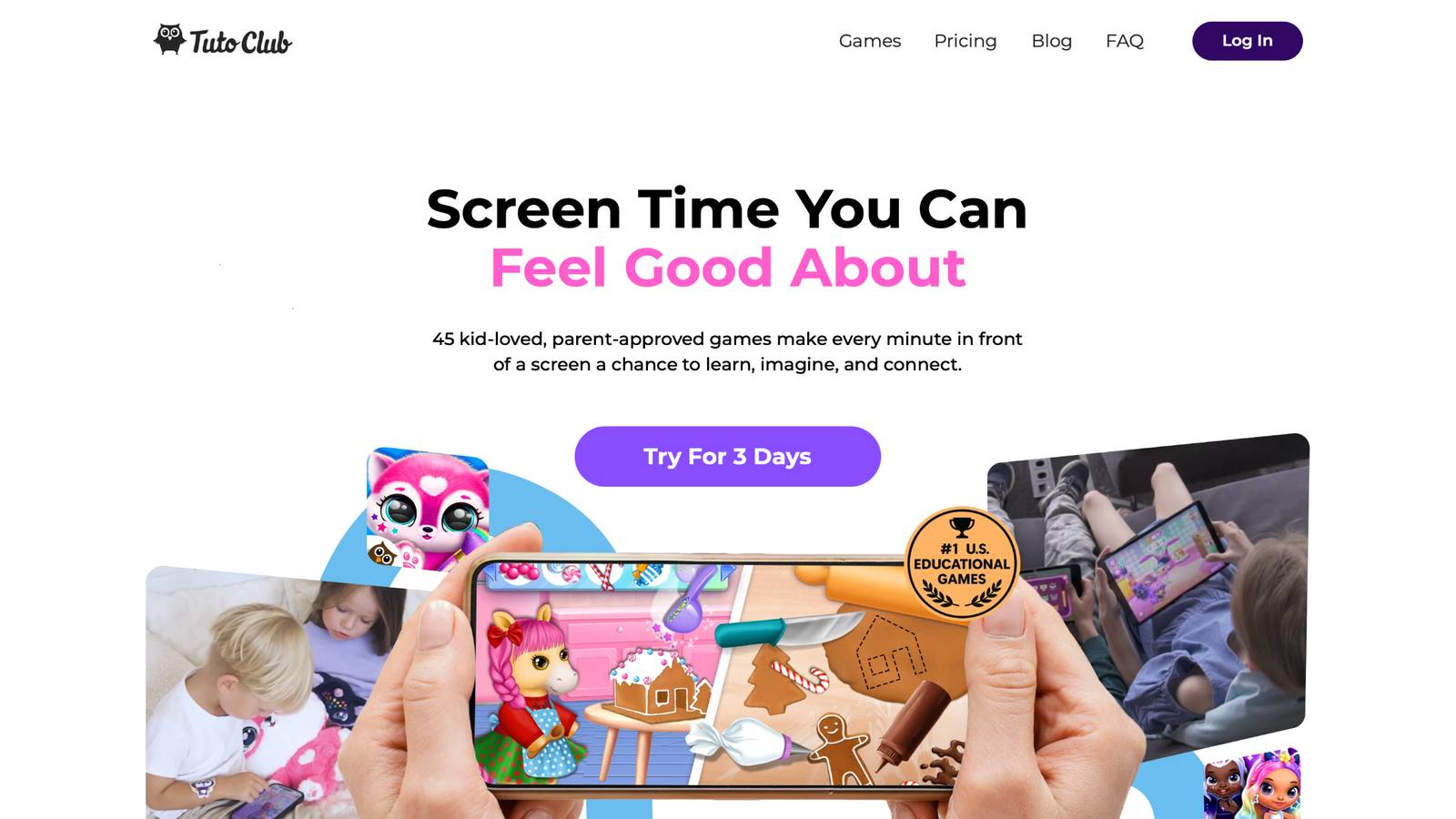
TutoClub is a subscription that unlocks more than 45 research-backed games made for young children ages 2 to 8. The games focus on creativity, focus, problem solving, empathy, and early learning through everyday play. Kids care for virtual pets, clean up rooms, design outfits, and explore stories. These activities build responsibility, kindness, letter and number practice, memory, and self-expression without ads or extra purchases.
Games such as those involving pet care or simple chores turn daily routines into practice for social-emotional growth and fine motor control. Fashion and decorating games support confidence and creative thinking. Many parents notice better focus and emotional awareness after regular play. The full collection of educational games makes these experiences available in one place.
The service works across devices, stays family-friendly, and includes offline play after download. A free trial lets families test the full collection first. Unlike many apps that rely on distractions or limited free content, this collection keeps learning calm, complete, and tied to real developmental goals. Details on how the subscription works and multi-device support appear in the help section.
TutoClub Overview
TutoClub is your gateway to a magical world of educational games designed especially for children.
As part of TutoTOONS, a leading kids' games studio, we offer premium access to over 45 ad-free games.
Our mission is to blend learning and play, helping kids explore, create, and grow in a safe online space.
Thousands of parents trust us for family-friendly content that sparks imagination and builds essential skills.
Key Features
- Unlimited Access: Unlock full content in all games with no interruptions.
- Ad-Free Experience: Enjoy seamless play without any ads or distractions.
- Skill Development: Games foster creativity, social skills, communication, and more through fun activities like pet care and cleanup challenges.
- Regular Updates: Get new releases, exclusive content, and future updates automatically.
- Easy Subscription: Cancel anytime with no obligations, simple and flexible for families.
Explore Our World
TutoClub provides a rich ecosystem of educational games for kids, featuring ad-free experiences that promote creativity, focus, and emotional growth through play.
This platform turns screen time into valuable learning opportunities, with parent-approved content that builds essential skills and sparks curiosity in young minds.
- TutoClub Games: Over 45 educational games, including popular titles like Fluvsies, Smolsies, and the Sweet Baby Girl series
- Blog: Insights, tips, and stories for families on kids' learning and play
- FAQ: Comprehensive answers to frequently asked questions about subscriptions, features, and more
Get TutoClub on Your Device
TutoClub delivers premium kids educational games directly to your mobile devices, making learning accessible anytime, anywhere.
With apps available on major platforms, families can easily download and subscribe for ad-free play that turns screen time into skill-building adventures.
Perfect for parents seeking safe, engaging content on iOS, Android, or Amazon devices.
Why Choose TutoClub?
We're committed to 100% safe, enriching entertainment that kids love and parents approve. Join the thousands who've seen their children thrive through playful learning.
Ready to start the adventure?
Try the full collection of skill-building preschool games with a free trial at TutoClub!
Practical Steps to Choose and Use an App Well
1. Write down the one or two skills your child needs most right now.
2. Search for apps that name those exact skills. The best educational games for kids age 3 and similar age guides offer useful starting points.
3. Read recent parent reviews that mention learning, not just fun.
4. Download and play together for a short session.
5. Check for ads, clear goals, thinking tasks, and helpful feedback.
6. Limit sessions and talk about the game afterward. “What did the character feel?” or “How many pets did you feed?” turns screen time into shared learning.
7. Balance digital play with offline activities like drawing, building blocks, or outdoor time. Ideas from learning through play examples can inspire follow-up activities.
Parents who join the play see bigger gains. The app becomes a tool, not a babysitter. A family weekly planner can help keep screen time balanced with other parts of the day.
Common Mistakes to Avoid
Choosing by downloads alone often leads to flashy but empty apps. High ratings can reflect entertainment more than education. Reviewing the best educational but fun games for kids helps separate strong options from weak ones. Ignoring the child’s current level causes boredom or frustration. Adaptive or multi-level apps work better. Looking at the best educational games for kindergarten shows how good design grows with the child.
Letting screen time replace talk, movement, and real play slows overall growth. Keep digital sessions short and pair them with conversation. Tips on balancing self-care and parenting remind families to protect time for everyone. Trusting the word “educational” without checking the design wastes time. Many apps use the label freely. Checking the best educational websites for kids can reveal clearer standards.
FAQ
What skills should a preschool educational app teach first?
Core preschool skills start with early literacy such as letter sounds and simple vocabulary, number sense through counting and patterns, and social-emotional growth that includes naming feelings and showing care for others. Creativity and problem solving for young learners develop alongside these foundations when apps weave them into playful tasks rather than isolated drills. The strongest educational apps connect these skills to everyday activities so children can transfer what they practice on screen into real life, such as sorting toys or talking about a story character’s emotions. Looking for apps with clear goals in these areas helps ensure the time spent builds school readiness without feeling like formal lessons.
How can I tell if an app is active learning or just passive tapping?
Active learning requires the child to think, choose, sort, or solve a small problem instead of simply reacting to flashes or sounds. Watch a short session and notice whether your child must decide the next step or can tap anywhere and still “succeed.” Apps that support the four pillars of learning keep kids minds-on through meaningful challenges, helpful feedback, and responses that feel connected to their choices. Passive designs often rely on constant rewards or random animations that distract from real skill building. Choosing apps that encourage reasoning and creativity turns screen time into genuine practice for preschool development. The best learning games for kids tend to favor active designs.
Are subscription apps better than one-time purchases for preschoolers?
Subscriptions that remove ads and unlock full content often create a calmer, more complete experience that supports longer-term skill growth. One-time purchases can work well when they stay free of interruptions and offer enough depth, yet many free or limited versions interrupt focus with upgrades or ads. The key difference lies in whether the app continues teaching through adaptive challenges, quality feedback, and storylines that keep learning meaningful over time. A well-designed collection of online educational games shows how consistent access without distractions helps children practice literacy, numbers, empathy, and focus in a steady way.
Should parents play the educational app with their child?
Joining the play lets parents turn digital moments into shared conversations that strengthen language and understanding. Simple questions about what the character feels or how many items were collected help the child connect the activity to real life and deepen the learning. Independent sessions work for short periods once the child knows the app, but co-play multiplies the benefits of active engagement and social interaction. This approach also models healthy screen habits and makes the experience feel purposeful rather than isolating. Apps designed with clear goals and gentle scaffolding become stronger tools when a caring adult participates. Guidance in the parent’s guide to healthy screen time with educational apps supports this shared approach.
How much daily screen time is reasonable for preschool apps?
Sessions stay most helpful when they remain short, focused, and balanced with offline play, movement, and conversation. Quality outweighs quantity, so an app that builds real skills through thinking tasks and meaningful feedback supports growth better than longer stretches of passive content. Pairing any digital time with talk about the activity and follow-up real-world practice helps skills stick. Families who choose ad-free, age-appropriate options find it easier to keep screen use calm and intentional. Consistent limits paired with high-value content create a healthy routine that fits naturally into a preschooler’s day. Ideas from learning through play help keep the balance.
Read Also:
- Parent’s Guide to Healthy Screen Time with Educational Apps
- Best Learning Through Play in 2026
- Best Apps for Preschoolers
- Best Games for Preschoolers
- Best Educational Games for Kids
Discover safe educational games that build preschool skills at TutoClub.