
How Parent Reports in Educational Apps Support Home Learning






Parent reports in educational apps show what your child practices and masters, turning play into guided home learning. These clear updates help you spot strengths, support weaker areas, and match activities to your child’s pace. Families using curated educational games for kids often connect screen time with real growth more easily.
These insights pair well with the best educational websites for kids and the best free online games for kids that extend learning beyond apps. Understanding how to protect kids online remains essential, while the best learning apps for kids offer further tools for steady progress at home.
Discover how parent-friendly learning tools can support your child’s daily progress with TutoClub.
What Parent Reports Show in Educational Apps

Parent reports give a simple picture of activity without complex charts or school jargon. Most show time spent, skills practiced, completed tasks, and areas of growing confidence. Some highlight favorite topics or note when a child returns to the same activity.
These reports focus on progress over time rather than single scores. You might see that your child spent more time caring for virtual pets one week or practiced sorting and matching the next. The information stays easy to read so busy parents can check it quickly. Many families pair this visibility with the best fun educational games for kids, the best learning games for kids, or the best games for preschoolers to keep practice consistent. Clear reports help you understand the learning that happens during independent play. They also create natural conversation starters at home.
Why Parent Reports Strengthen Home Learning
When parents know what skills their child works on, they can extend that practice offline. A report showing interest in care routines might lead to real chores or pet care talks. Progress in matching games can turn into simple sorting activities with household items.
Informed parents support learning more effectively when they receive timely details. Parent reports make this possible. You no longer wait for formal school updates. Instead, you respond in the moment. This pairs well with resources on the best educational games for kids at home and the best learning through play activities. This connection builds consistency between digital play and everyday life. Children see that the skills they practice in an app matter at home too.
Key Benefits for Parents and Children
Parents gain peace of mind. You know the time spent on the app builds useful skills rather than empty entertainment. Reports reduce guesswork and help you set balanced screen habits. Children benefit from encouragement that matches their actual progress. When you celebrate a completed challenge or notice steady improvement, motivation grows. Shared review of a report can turn into positive talk about effort and growth. This is especially useful alongside social-emotional games for kids and emotional regulation games for kids. Many families also notice stronger routines. Regular check-ins on reports create a gentle structure around learning without pressure.
Features That Make Parent Reports Useful
Strong parent reports stay simple and actionable. Look for these elements:
- Clear lists of skills or activities completed
- Easy-to-scan overviews of recent progress
- Notes on strengths and next steps
- Options to view progress across multiple children
- Links or ideas for related home activities
Reports that include screen-time tools add another layer of support. Parents can set limits while still seeing the value of the time used. Features like these appear in many safe apps for kids and learning apps for kids. Privacy and safety matter too. Good educational apps keep reports secure and free from ads or extra distractions. Guidance on protecting kids online helps families maintain that safety.
How Tutoclub Supports Learning Visibility at Home
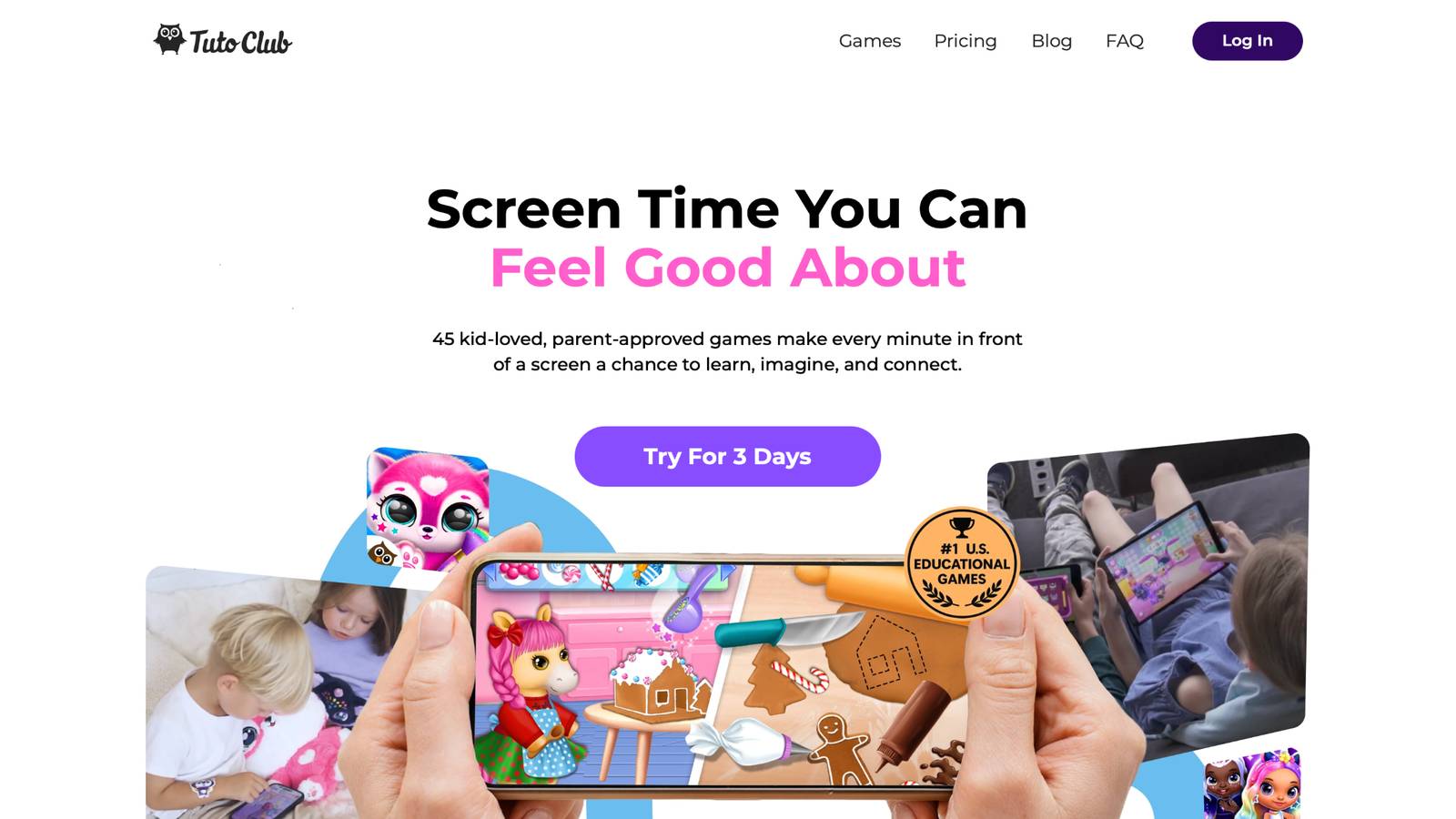
Tutoclub offers a subscription that unlocks more than 45 educational games designed for creativity, focus, empathy, and problem-solving. Games such as pet care adventures, cleanup challenges, and imaginative play experiences help children practice real-life skills through fun.
Related experiences within the TutoTOONS family, including dedicated learning apps, provide parental areas with progress insights and screen-time controls. These tools let families see milestones and favorite subjects while keeping the environment ad-free and safe. Explore options like the best educational games for toddlers, and the best educational games for 2 year olds.
Because the games encourage care, responsibility, and creative thinking, the learning extends naturally beyond the screen. Parents can use the visibility these features offer to guide conversations and offline play that match what the child enjoys. See also the best confidence building games and the best problem solving games for kids.
TutoClub Overview
TutoClub is your gateway to a magical world of educational games designed especially for children.
As part of TutoTOONS, a leading kids' games studio, we offer premium access to over 45 ad-free games.
Our mission is to blend learning and play, helping kids explore, create, and grow in a safe online space.
Thousands of parents trust us for family-friendly content that sparks imagination and builds essential skills.
Key Features
- Unlimited Access: Unlock full content in all games with no interruptions.
- Ad-Free Experience: Enjoy seamless play without any ads or distractions.
- Skill Development: Games foster creativity, social skills, communication, and more through fun activities like pet care and cleanup challenges.
- Regular Updates: Get new releases, exclusive content, and future updates automatically.
- Easy Subscription: Cancel anytime with no obligations, simple and flexible for families.
Explore Our World
TutoClub provides a rich ecosystem of educational games for kids, featuring ad-free experiences that promote creativity, focus, and emotional growth through play.
This platform turns screen time into valuable learning opportunities, with parent-approved content that builds essential skills and sparks curiosity in young minds.
- TutoClub Games: Over 45 educational games, including popular titles like Fluvsies, Smolsies, and the Sweet Baby Girl series
- Blog: Insights, tips, and stories for families on kids' learning and play
- FAQ: Comprehensive answers to frequently asked questions about subscriptions, features, and more
Get TutoClub on Your Device
TutoClub delivers premium kids educational games directly to your mobile devices, making learning accessible anytime, anywhere.
With apps available on major platforms, families can easily download and subscribe for ad-free play that turns screen time into skill-building adventures.
Perfect for parents seeking safe, engaging content on iOS, Android, or Amazon devices.
Why Choose TutoClub?
We're committed to 100% safe, enriching entertainment that kids love and parents approve. Join the thousands who've seen their children thrive through playful learning.
Ready to start the adventure?
See how a simple subscription can turn screen time into skill-building play that fits your family.
Practical Ways to Use Parent Reports Every Day
Review reports together once or twice a week. Ask open questions such as “What did you enjoy most?” or “What felt a bit hard?” This keeps the focus positive. Match report findings to home activities. If the report shows strong interest in sorting or care tasks, try related chores or simple games with toys and household objects. Ideas from learning through play examples and practical tips for new parents can help expand those moments.
Celebrate effort more than results. Point out steady practice rather than perfect scores. This builds a growth mindset. Set gentle goals based on the report. One extra session on a skill that needs attention or a family game that builds on strength works well. Resources like family weekly planner free download support planning these goals. Use the information to balance screen time. Reports help you decide when to encourage more play and when to shift to offline activities.
Building Stronger Family Connections Through Shared Learning
Parent reports create shared language around learning. Children feel seen when parents notice their progress. Parents feel more confident guiding the process. This partnership supports social and emotional growth as well. Many educational games teach empathy and responsibility. Reports that highlight these moments give parents chances to reinforce the same values at home. This connects naturally with the best emotional games for kids and the best social emotional games for kids. Over time, families develop habits of checking in, celebrating, and adjusting together. The result is learning that feels connected rather than separate from daily life.
Choosing Educational Apps That Support Home Learning Well
Look for apps that combine engaging play with clear parent tools. Ad-free environments, research-informed design, and multi-device access help families stay consistent. Compare options through guides such as educational games for kids apps and tablet games for kids.
A subscription model that unlocks many games under one plan reduces the need to manage separate accounts or purchases. This simplicity makes it easier to focus on the learning itself. Explore further with the best educational games for kindergarten, the best educational games for 5 year olds, and the best educational games for 7 year olds. Safety features, regular content updates, and easy cancellation options add further value for busy parents.
FAQ
How often should I check parent reports in educational apps?
Checking parent reports once or twice a week usually gives enough insight without overwhelming busy schedules. This rhythm lets you notice patterns in skills practiced, favorite activities, and areas of steady growth. Looking at the updates together with your child can turn the review into a short, positive conversation about what felt fun or challenging. Regular but not constant checks help keep the focus on supporting home learning rather than tracking every detail, much like the steady routines suggested in key advice for new parents.
Can parent reports help if my child uses the app mostly for fun?
Yes, parent reports still offer value even when the main goal feels like play. Many educational games build focus, problem-solving, empathy, and responsibility through enjoyable activities like caring for characters or completing creative challenges. The reports highlight these hidden skill-building moments so you can connect them to everyday home experiences. This turns pure fun time into opportunities for gentle guidance and shared learning talks that pair well with fun educational games for kids.
What if the report shows slower progress in some areas?
Slower progress in certain skills simply points to places where extra support can help. Pair the information with short offline activities that match the same theme, such as simple sorting games or care routines around the house. Keep the tone encouraging by also celebrating the strengths the report shows. Consistent, low-pressure practice at home often helps children move forward at their own pace and works alongside ideas from learning through play.
Do parent reports work for more than one child?
Most educational apps for kids allow separate profiles or easy switching so each child’s activity stays clear and distinct. This setup makes it simple to follow individual strengths, interests, and practice patterns without mixing the information. Parents can then tailor home learning ideas to each child’s unique progress. The result is more personal support across different ages or learning styles within the same family, similar to how memory games for kids support varied needs.
How do parent reports fit with school learning?
Parent reports from learning apps for kids complement school updates by showing independent practice and personal interests that happen outside the classroom. They give a fuller view of skills your child builds during play, such as creativity or focus, which can support formal learning. Sharing relevant insights with teachers when useful creates a stronger link between home and school. Together, the two sources help guide balanced support without replacing either one.
Read Also:
- 5 Screen Time Tips Every Parent Needs
- Fun Co-Play Ideas for Parents & Kids
- Dealing with Toddler Tantrums
- Family Weekly Planner Printables
- 5 Back-to-School Tips to Help Kids Adjust Easily
Discover how parent-friendly learning tools can support your child’s daily progress with TutoClub.