


How to Find Safe Makeup Games Online






Kids love virtual makeup, from blush and sparkles to silly face paint. The real task is finding safe makeup games online that stay private, ad-free, and age-right. Many free titles add surprise buys, chat, or looks that feel too grown-up for safe makeup games.
Once a look feels safe and age-right, many kids also pair makeup play with the best dress-up games for girls online so outfits stay gentle and private. The best makeup games online keep the same ad-free pace without surprise buys or chat. Families who want more calm creative time can explore the best games online for girls and the best online coloring games that stay simple and kid-friendly.
Find ad-free makeup and fashion play your child can enjoy with TutoClub!
Why Safety Comes First With Makeup Games
Makeup games look harmless. They often are not. A child-directed salon or dress-up title sits in a category the FTC treats as content made for kids. That means ads, tracking, and data collection should follow extra rules. When a site skips those rules, a simple makeover can open pop-ups, video ads, or links that leave the game.
Safety here is not only about “no strangers.” It is also about:
- What a child sees while they play
- What a child clicks without meaning to
- What a game collects in the background
- How the look of the characters treats bodies and faces
A safe makeup game treats beauty play as dress up games for girls online and color mixing. It does not push adult contouring, filters that shrink faces, or paywalls that lock a lipstick behind a coin shop. Parents who already look for safe kids games will notice the same pattern. Calm design, no ads, and no outside chat beat a giant catalog of “free” browser titles.
A practical next step is to start from lists that already screen for kid-first design, such as girl fashion makeup games online, makeover games online, and makeover games for girls. Those roundups make it easier to skip titles packed with pop-ups, tracking, or adult-style filters and stay with calm salon play that treats makeup as color, dress-up, and pretend - not as a shop or a data funnel.
What Makes a Makeup Game Safe for Kids
Use this checklist before a child starts tapping.
Ad-free or tightly limited ads
Pop-up ads and “watch a video for a new eyeshadow” are the most common problem. Ads can show products, other games, or clips that do not match the child’s age. A safer title has no ads at all, or only ads a parent approved in a family store setting.
No in-app purchases during play
Coin shops and “unlock this palette” buttons train kids to tap first and ask later. Safe makeup games either stay fully free or unlock extras through a parent-paid plan. The child should not see a price tag mid-makeover.
No open chat or stranger messages
Some fashion games add friends lists or live rooms. That is extra risk. For young players, keep makeup play offline after download or inside a closed family account.
Age-right looks and bodies
Kids copy what they see. Soft blush, fun hair color, animal face paint, and fairy glitter fit young play. Heavy smoky eyes, tiny waists, and “glam transformation” language do not. Pick games with round, friendly characters and a wide range of skin tones without ranking who looks “pretty.”
Clear privacy and parent account
Look for a parent gate, a Privacy page written for families, and a rule that the child does not enter a name, photo, or email. COPPA covers sites and apps directed at children under 13. A good publisher says so in plain words and keeps child data off ad networks.
Calm pace
Safe makeup play has no countdown clock that shouts “hurry.” Kids should be able to wipe off a look and try again. The collection of TutoClub games applies this list across fashion and care games and keeps titles ad-free after a parent signs in. The same checklist shows up across other safe apps for kids.
Red Flags That Mean Skip the Game
Walk away when you see any of these:
- A “Play now” button that opens three other tabs
- A coin counter the child cannot ignore
- Comments or chat next to the makeup tray
- Characters with adult body shapes or lingerie-style outfits
- A request for the child’s email “to save the look”
- Links out to random dress-up sites
- Auto-play video ads between each lipstick
- Ratings that say “Everyone” while the store listing shows makeup that looks like a teen influencer kit
Browser hubs host many makeup titles. Some are fine for a short supervised session. Many are not built as kids products. Treat each title as new, even on a familiar site, including lists of free online games for kids.
Store listings help. On Apple, Google Play, and Amazon, read the privacy label and the age rating. Search the publisher name plus “COPPA” or “kids.” If the publisher also makes dating apps or casino games, pick something else. Trusted educational websites for kids make those labels easier to find.
Browser Games, Apps, and Subscriptions: How They Differ
Instant browser makeup games
These load in Chrome or Safari with no install. They work for a five-minute try. Downsides show up fast: ads, weak privacy, and no parent dashboard. Sit with the child the first time. Use a kid profile on the device. Close extra tabs when play ends.
Single makeup apps
A standalone salon app can look polished. Check the same list: ads, buys, chat, and data. One pretty icon does not equal a safe product. Many “kids makeup” apps still run ad networks. The same check applies to mobile games for kids and tablet games for kids.
Curated kids subscriptions
A parent-paid plan that unlocks many games at once solves the coin-shop problem. The child plays. The adult pays once. Fashion titles sit next to pet care and clean-up games, so makeup is one activity, not the whole day. This model matches how families already use educational games for kids.
After the first download, many of these titles work offline. That cuts random web hops.
How Tutoclub Handles Fashion and Makeup Play
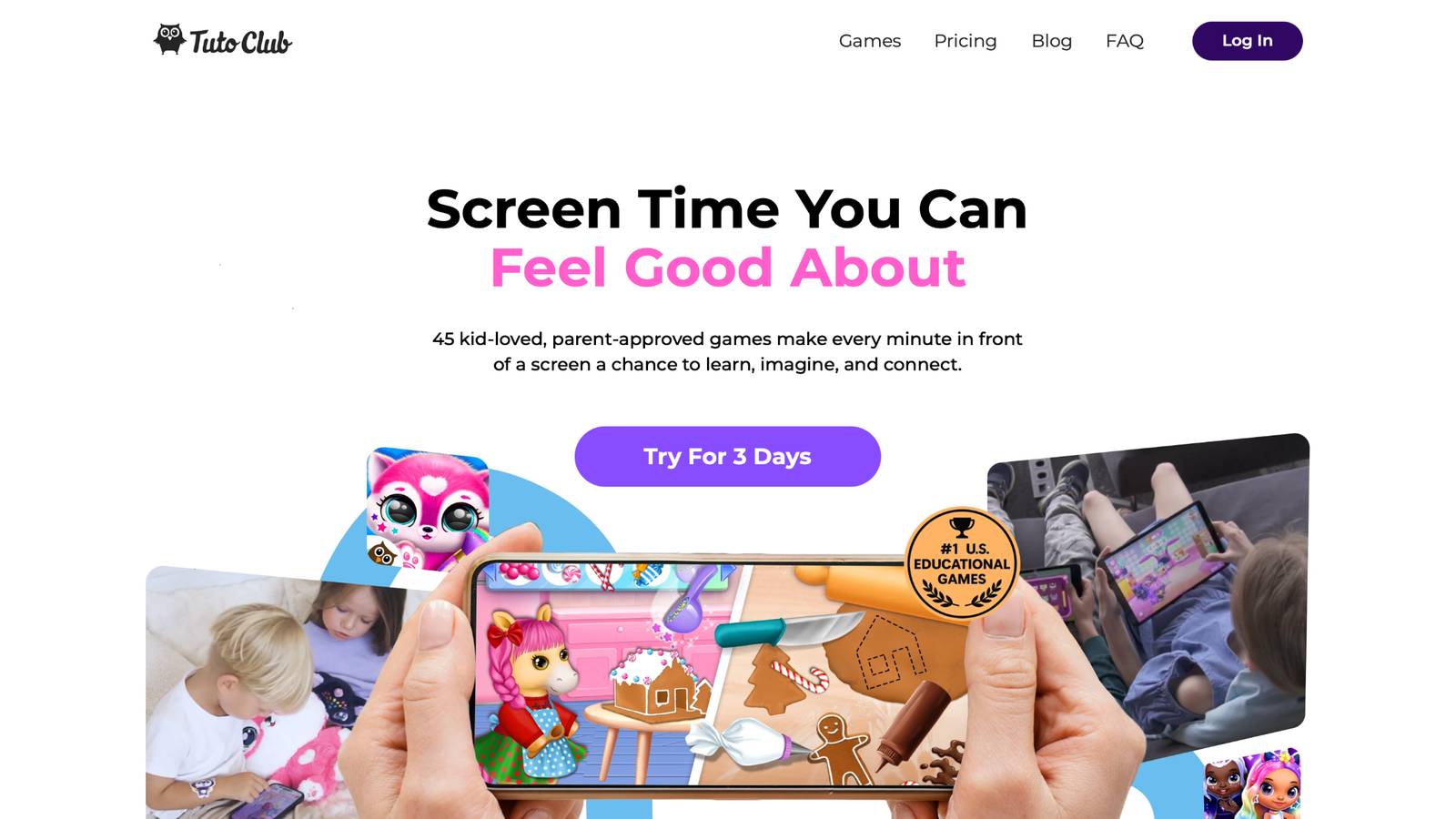
Tutoclub is a parent subscription for more than 45 TutoTOONS games. Play is ad-free. In-app buys stay unlocked for the family plan. Accounts are for parents or guardians. Kids do not need to share personal details to start a makeover. Plan details sit in the subscription FAQ.
Fashion and beauty sit inside larger play, not as a stand-alone “glam feed.” Titles such as L.O.L. Surprise O.M.G. Fashion Club and Princesses Enchanted Castle mix outfits, hair, and simple makeup with stories and care tasks. The goal is self-expression and pretend play, the same spirit as other learning games for kids.
What parents tend to notice:
- No pop-up ads between brushes
- Soft, child-like characters
- Makeup as part of a look, not a contest about beauty
- The same login across phone, tablet, and extra family devices
- A short trial so you can watch how your child actually plays
COPPA and GDPR compliance sit in the product design. Child data stays limited. Payment runs through the parent, not the game screen. This is the contrast with big free portals. Those sites win on volume. A kids studio wins on what does not appear: ads, strangers, and pressure to spend.
TutoClub Overview
TutoClub is your gateway to a magical world of educational games designed especially for children.
As part of TutoTOONS, a leading kids' games studio, we offer premium access to over 45 ad-free games.
Our mission is to blend learning and play, helping kids explore, create, and grow in a safe online space.
Thousands of parents trust us for family-friendly content that sparks imagination and builds essential skills.
Key Features
- Unlimited Access: Unlock full content in all games with no interruptions.
- Ad-Free Experience: Enjoy seamless play without any ads or distractions.
- Skill Development: Games foster creativity, social skills, communication, and more through fun activities like pet care and cleanup challenges.
- Regular Updates: Get new releases, exclusive content, and future updates automatically.
- Easy Subscription: Cancel anytime with no obligations, simple and flexible for families.
Explore Our World
TutoClub provides a rich ecosystem of educational games for kids, featuring ad-free experiences that promote creativity, focus, and emotional growth through play.
This platform turns screen time into valuable learning opportunities, with parent-approved content that builds essential skills and sparks curiosity in young minds.
- TutoClub Games: Over 45 educational games, including popular titles like Fluvsies, Smolsies, and the Sweet Baby Girl series
- Blog: Insights, tips, and stories for families on kids' learning and play
- FAQ: Comprehensive answers to frequently asked questions about subscriptions, features, and more
Get TutoClub on Your Device
TutoClub delivers premium kids educational games directly to your mobile devices, making learning accessible anytime, anywhere.
With apps available on major platforms, families can easily download and subscribe for ad-free play that turns screen time into skill-building adventures.
Perfect for parents seeking safe, engaging content on iOS, Android, or Amazon devices.
Why Choose TutoClub?
We're committed to 100% safe, enriching entertainment that kids love and parents approve. Join the thousands who've seen their children thrive through playful learning.
Ready to start the adventure?
Start a parent trial and open the fashion games with ads and coin shops already turned off!
Skills Kids Practice in Safe Makeup Games
Good makeup play is not only “pretty faces.” In a safe title, kids practice:
- Color sense. They see which shades sit well together.
- Fine motor control. Dragging a small brush builds hand precision.
- Planning. A full look needs an order: face, eyes, lips, then hair.
- Language. Naming colors and styles grows vocabulary.
- Confidence. Trying a wild look and wiping it off costs nothing.
- Care routines. Spa steps can pair with washing, brushing, and tidy-up habits found in responsibility games for kids.
Keep sessions short. Pair a makeover with a real-world activity: draw the same face on paper, or sort real scarves by color. That keeps the game from becoming the only way a child thinks about looks.
If body talk comes up, keep it simple. “We play with colors. Your face is already yours.” Games that avoid ranking characters make that talk easier. Confidence building games can sit next to fashion play on the same plan so one theme does not take over. Remembering a favorite look also overlaps with memory games for kids.
A Simple Parent Routine Before Play
- Open the store or site yourself first.
- Scan for ads, coins, chat, and account fields.
- Check the privacy page and age rating.
- Sit through one full makeover.
- Set a timer the child can see.
- Play on a device with a family profile and spend limits off for the child.
- Talk about the look they made, not how “pretty” the character is.
Device tools help. Use Screen Time or Family Link to block new installs. Keep payments behind a parent Face ID or PIN. Review how to protect kids online when you set those limits so makeup games do not sit next to random web search. A family weekly planner can hold the same time slot each week.
For younger kids, pick salon tools with large buttons and no tiny menus, the same kind of layout used in games for young kids. For older kids, add a rule: no new game without a parent check, even if a friend sent a link. The FTC COPPA rule is the U.S. baseline for child-directed sites and apps. Common Sense Media reviews also flag chat and buys. Use both as a second opinion, then still tap through the game yourself.
What to Do When a Child Already Loves an Unsafe Title
Do not shame the game. Swap the habit.
- Save a screenshot of a look they like.
- Recreate it in a safer app with similar tools.
- Keep the old title off the home screen.
- Offer a choice between two safe games, not “no makeup ever.”
Kids care about the act of painting a face. They rarely need that exact portal. A closed kids library of educational games for kids at home with fashion quests usually covers the same itch. Fun educational games for kids give extra options when makeup is only one part of the day.
FAQ
Are free makeup games online safe for kids?
Some free makeup games online can work for a short, watched session, yet many rely on ads, tracking, or coin shops instead of child-safe design. A safer title stays ad-free during play, hides purchases from the child, and keeps chat and extra tabs closed. Browser hubs can look kid-friendly while serving ads or links that leave the game, so the first makeover still needs a parent review of the listing and privacy page. Ad-free educational kids games keep makeup play inside a calmer space when it becomes a regular habit.
What age is right for virtual makeup games?
Kids often ask for virtual makeup games in preschool and early grade years, when dress-up and color mixing already feel natural. Age-right games use face paint, glitter, soft blush, and friendly characters rather than adult smoky eyes or “glam makeover” talk. Store ratings give a starting point, but body shapes, clothing, and the tone of the tools matter more than the label. Sitting through one full look shows whether the pace and art fit that child, the same check used for games for preschoolers.
Do makeup games hurt body image?
Makeup games can nudge how kids talk about faces when characters look like teen models or the game scores beauty. Safer makeup play treats a look as pretend color work that can be wiped away, with no ranking and no tiny-waist art. Naming colors, themes, and stories, instead of who looks pretty, keeps the session closer to dress-up. Fashion tools sit well beside social emotional games for kids, so self-worth is not tied only to a finished face.
How can I tell if a game follows kid privacy rules?
A child-directed makeup game should speak plainly about children under 13, keep the account with a parent, and skip name, photo, or email fields for the child. Store privacy labels and a family policy show whether data is shared with ad partners. Parent gates, no open chat, and offline play after download are practical signs that privacy is built into the product. Those same habits appear across learning apps for kids that keep accounts with parents.
Can kids play makeup games without the internet?
Many kids apps let salon and makeup tools work offline after the first download, which blocks random ads and outbound links. Offline play helps in cars, waiting rooms, and homes with weak Wi-Fi because the child stays inside the same approved title. Browser makeup games usually need a live connection, so they cannot offer that closed space. Offline fashion play often lives inside an educational games for kids app that already mixes outfits, care tasks, and simple styling.
Read Also:
- Best dress up games for girls online
- Best safe kids games in 2026
- How to protect kids online
- Best confidence building games in 2026
- Best responsibility games for kids in 2026
Find ad-free makeup and fashion play your child can enjoy with TutoClub!